For a business with an existing web or mobile app, a chat interface is only part of agent integration. We also need to connect the right user identity, decide where secrets belong and define which tools the agent may call. These decisions should be clear before the first real conversation.
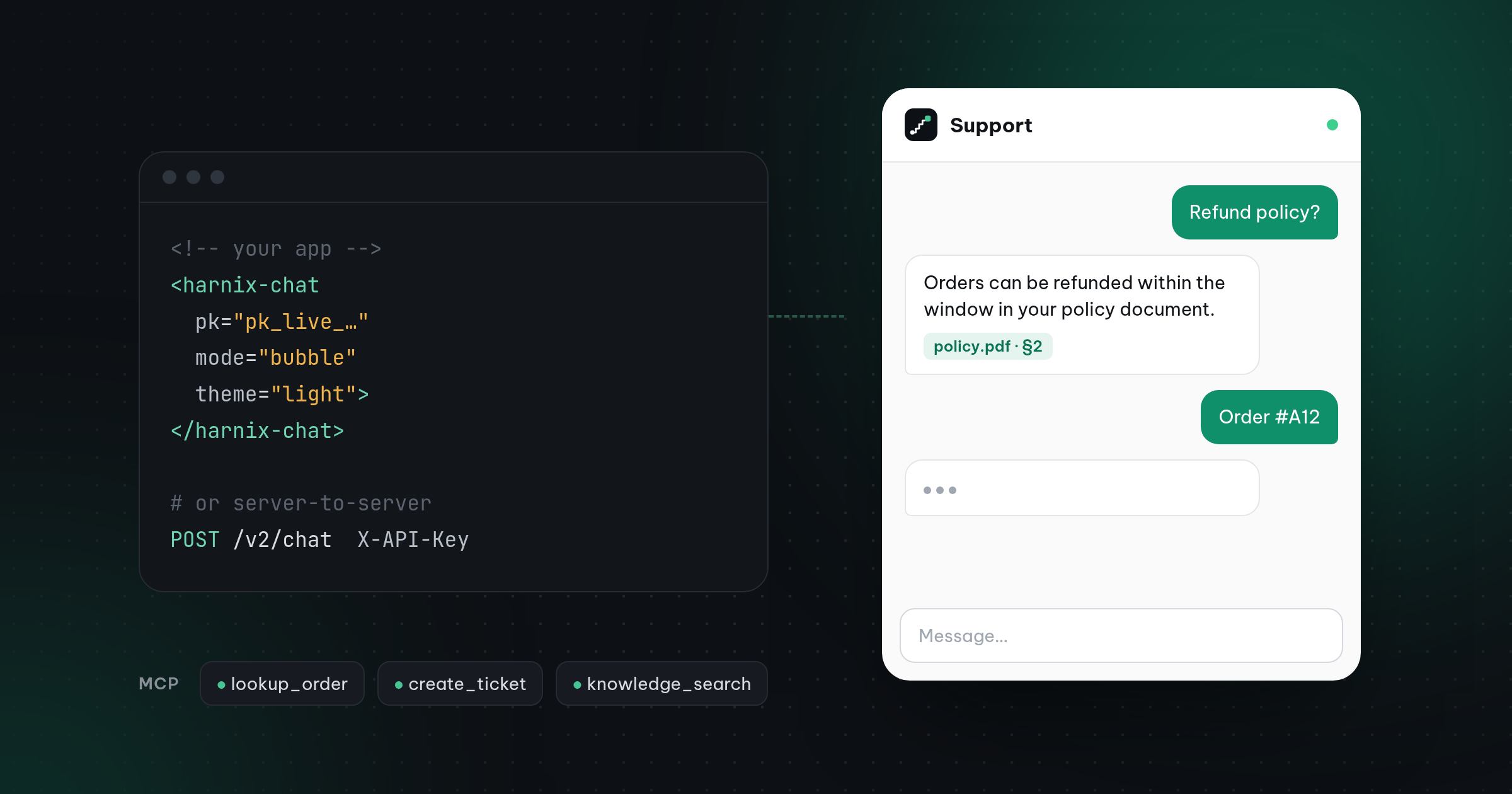
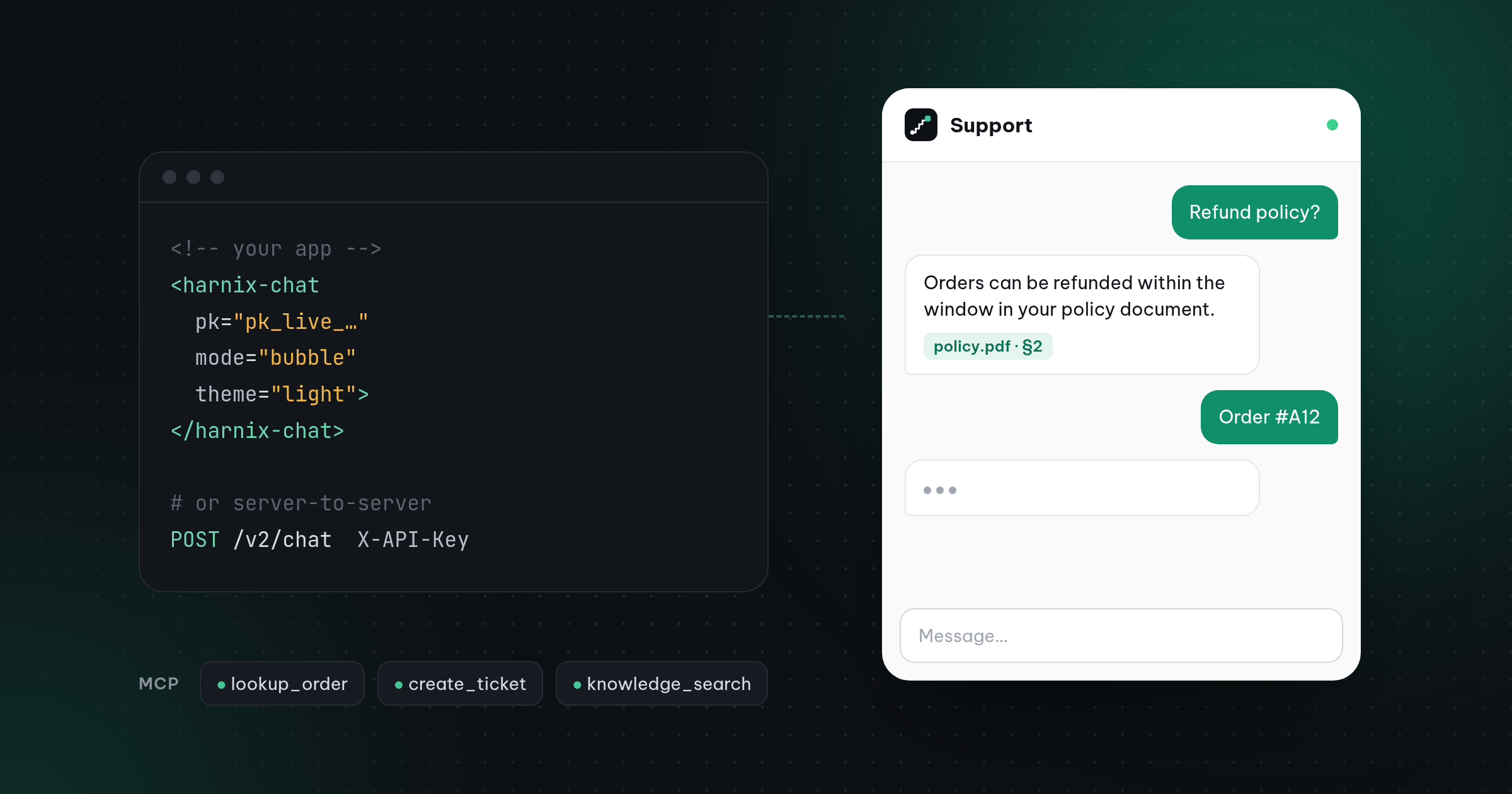
Harnix offers two main paths: embed the <harnix-chat> web component, or call the chat API from your backend. Both produce runs that can be inspected in the console. The difference is how much of the interface and authentication flow your product team wants to own.
Choose how much interface to build
The widget suits teams that want an existing web chat experience, including streamed answers, conversation history and the steps that need a user decision. It is a web component with no runtime dependency and supports bubble and inline modes. Adding it does not require adopting a particular frontend framework.
After loading the widget script as described in the integration documentation, the minimal element looks like this. Replace the placeholder with your organization's publishable key:
<harnix-chat pk="pk_live_..." title="Ask us"></harnix-chat>
The credential attribute is pk, not api-key. Attributes including mode, position, theme, primary-color, title, greeting and strings adjust presentation. agent selects a particular agent. Without api-url, the widget derives the API address from where its script was loaded; use api-url when an explicit override is needed.
If your product already has a chat interface, or a mobile workflow needs an API, your team can keep the UI and call Harnix through its backend. A mobile SDK is not available yet; API integration is a separate option from embedding the web widget. In that approach, receiving events, displaying states and collecting user decisions are responsibilities of your application.
Four principals with separate responsibilities
We distinguish four principals rather than using one credential for every task:
- The operator operates the platform and manages organizations.
- A tenant admin signs into the console to manage agents, knowledge bases, keys and activity within an organization.
- An integration is the business's backend, authenticated with an API key.
- An end-user is a person using the product, chatting with a token obtained through token exchange.
The API key belongs on the server because it represents the integration. Putting it in HTML, a frontend bundle or an application distributed to users breaks the boundary between a trusted backend and an individual chatter. A publishable key has a narrower role: opening token exchange, with the embedding page's origin checked against the allowed list.
An end-user token ties activity to the appropriate person and conversation scope. Your backend should determine who is signed into your product. An arbitrary user identifier supplied by a browser should not become proof of identity. Harnix supplies the exchange mechanisms; connecting them correctly to your application's login session remains part of the integration.
Token exchange for the widget and a custom UI
The widget requires exactly one of pk, token-url or token. Do not combine multiple authentication modes. With pk, it can initialize an anonymous user; the organization must configure allowed origins to match the embedding page's scheme, host and port.
For signed-in users, your backend can sign their identity using the identity secret. The documentation uses HMAC-SHA256 over the user identifier and expiration timestamp, encoded as hexadecimal:
import { createHmac } from "node:crypto";

function signUserHash(identitySecret, endUserId, expiresAt) {
  return createHmac("sha256", identitySecret)
    .update(`${endUserId}:${expiresAt}`)
    .digest("hex");
}
Run this function on the server. The widget receives end-user-id, user-hash and expires-at alongside pk; it does not receive the identity secret. Alternatively, configure token-url so the widget obtains a token from your backend. That backend can call POST /v2/token using X-API-Key and end_user_id, then return the session token to the widget.
If you obtain the session token beforehand, use the token attribute. A custom UI sends the token as Authorization: Bearer <token> when calling end-user endpoints. The publishable key does not replace bearer authentication for later requests. The documentation covers request bodies, expiration and error handling.
Call directly from your backend
Server-to-server chat does not require token exchange first. Your backend can call POST /v2/chat with X-API-Key. This example uses a relative endpoint against your configured API base, preserving the documented header and payload names. Replace the illustrative identifiers with real values:
POST /v2/chat
Content-Type: application/json
X-API-Key: sk_xxxxxxxxxxxxxxxx
Idempotency-Key: 2f6a...

{
  "agent_id": "b6b0f9b2-...",
  "content": "What's our refund policy?",
  "conversation_id": null,
  "end_user_id": "user_42"
}
The response is 202 Accepted with run_id, message_id and conversation_id, rather than the completed answer. Your application follows the run's stream or reads the conversation after completion. Keep conversation_id to continue the same exchange, and supply end_user_id to associate activity with the user your backend authenticated.
Omitting end_user_id uses the service identity representing the API key; it does not automatically create a distinct human identity. For network retries, follow the documented idempotency rules to avoid duplicate messages within the supported scope. /v2/chat does not accept image attachments yet. Images use the end-user token flow and conversation message endpoint.
A custom UI must also handle pauses for people. Tool decisions go through POST /v2/runs/{run_id}/approval; responses to ask_user can go to POST /v2/runs/{run_id}/answer. The widget already provides cards for these interactions. An API integration must present the corresponding requests and collect decisions itself.
Connect the model and tools before expanding access
Create the agent in the console using the OpenAI-compatible or Ollama provider, then select the model and configure its Base URL and required credentials. Harnix does not host LLMs. Bringing an endpoint lets your team choose where its model is served, but does not imply that every private address is accepted. The endpoint must satisfy the documented connection requirements.
A knowledge base supplies material the agent can search and cite. For business actions, add a remote MCP server as a connector, choose its authentication method and assign it to the agent. Disable unnecessary tools and review approval requirements before testing. Business capabilities come from the server's tools rather than a promised collection of industry-specific integrations.
We suggest completing a turn in Playground, then checking the real integration: the right user and agent, suitable source citations and clearly presented tool decisions. Start at harnix.vn/docs, or arrange a conversation through harnix.vn to review how the integration fits your existing application.