When we assign work to a person, we describe the job, grant suitable access, review the result and define when they should ask for a decision. Introducing an agent into a product raises similar needs. A useful system prompt is a starting point; the operating team still needs to understand what happens with the permissions it grants.
In Harnix, a tenant administrator manages the organization's agents through the console. We approach that work through three questions: what did the agent do, why did it produce that answer, and what resources did it consume? This gives founders, product owners and engineering leads a shared starting point without requiring them to begin with service logs.
What it did: from conversation to run
Conversations lets the team read exchanges within its organization and filter them by agent. Playground test conversations have their own label and can be included or excluded. Product teams can review an interaction in context rather than judging isolated assistant messages.
A run connects an answer to a specific execution. The Runs list supports agent, status and time filters. Rows show information including start time, duration, input and output tokens, iteration count and the associated user. Pending and running runs can be cancelled from the list.
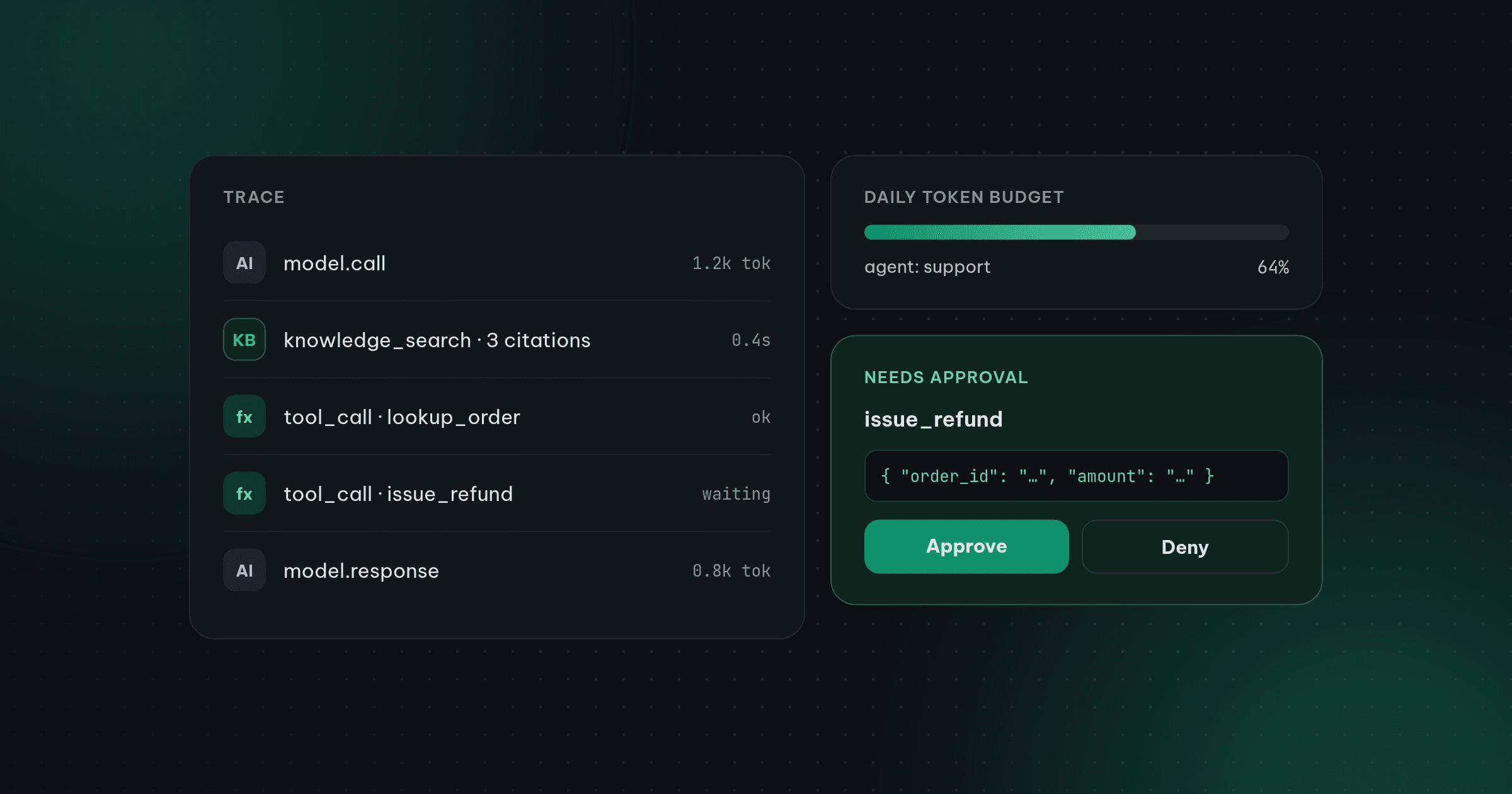
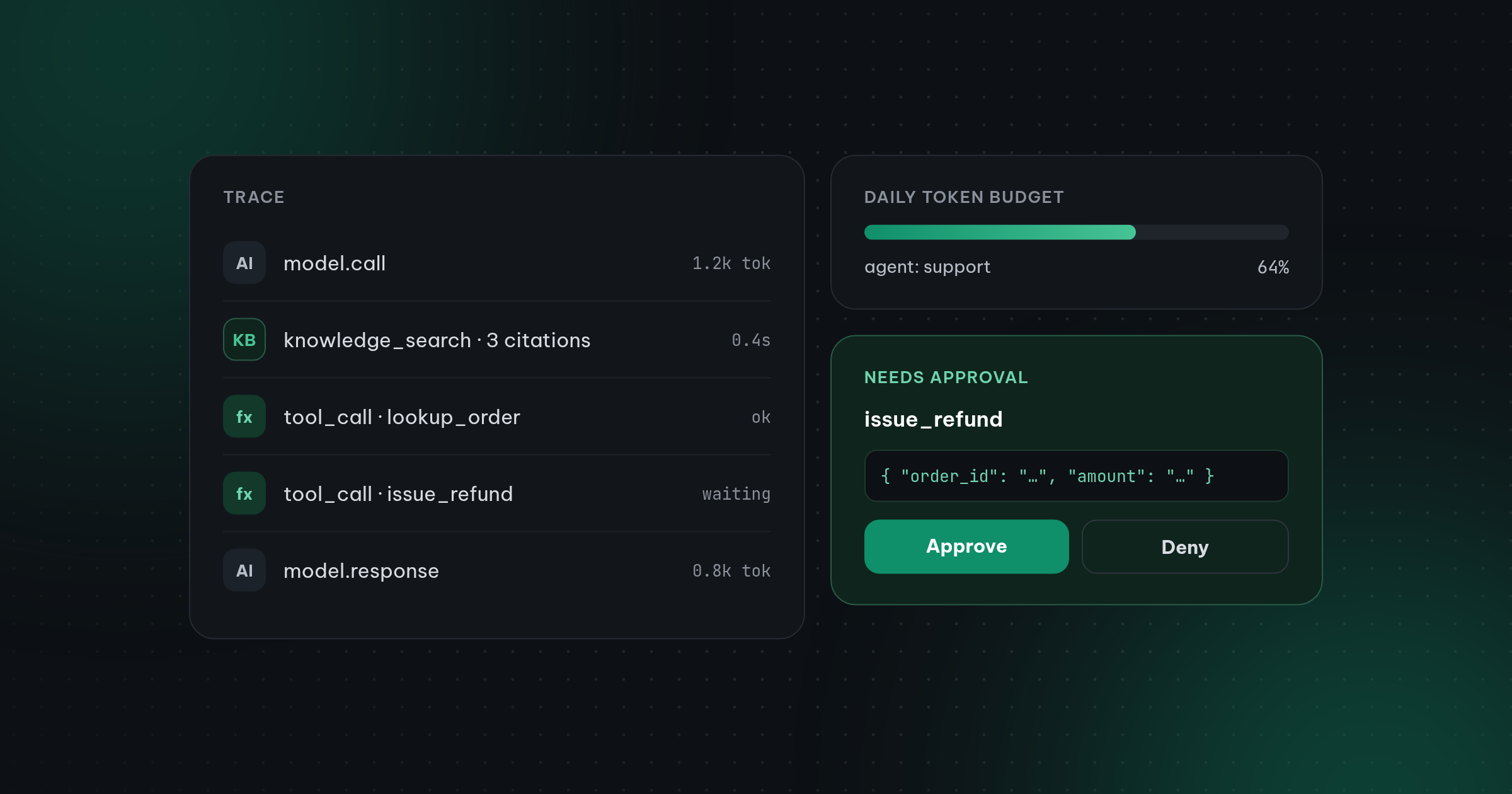
Waiting states also carry operational meaning. An agent may be waiting for tool approval or a user's answer rather than being stuck. As execution resumes, the trace updates, helping support teams understand what was needed before the next step could happen.
End-users adds a view organized around the people using your application. Administrators can inspect related information and history, and block or unblock a user. Blocking preserves history while refusing the next message. Deleting is different: it permanently removes that person's conversations, messages and runs, while their usage totals remain in the organization's report.
Why: inspect evidence rather than guess
We use “why” with a specific boundary. A trace is not a perfect explanation of a model's internal reasoning. It records the inputs and execution that can be inspected: the prompt for a model call, selected tools, arguments, returned results and final answer.
When an answer is unsuitable, those records help separate possible causes. Was relevant material retrieved? Did a tool return an error? Did the prompt supply the necessary context? These are more actionable questions than repeatedly editing a system prompt without evidence about the failure.
Knowledge bases are part of that investigation. An administrator uploads PDF, DOCX, Markdown or text documents, follows processing and attaches the knowledge base to an agent. Only completed documents participate in search. Attaching a knowledge base automatically makes knowledge_search available; it has no separate enable switch.
Search returns excerpts the model can use. Cited answers carry source document information, chunk position and a relevance score. We use citations to compare an answer with its source, rather than assuming that a citation proves every interpretation is correct. Important cases still deserve a review of the underlying material.
Control access and the points that need a person
Managing an agent includes choosing its model, system prompt, knowledge bases and tools. For an assigned MCP connector, an administrator can disable individual tools. A disabled tool is not offered to that agent's model; other agents using the connector are unaffected. Changes apply to runs that begin afterward.
Tool availability and approval requirements are separate controls. By default, a tool annotated readOnlyHint: true can run without confirmation; other tools require it. The administrator can override that behavior using each tool's Needs approval switch. Since defaults can be overridden, we treat reviewing those settings as part of assigning the work.
When approval is required, execution pauses before the relevant call. The decision maker sees the connector, tool name and actual arguments, then approves or declines. Administrators can exercise the flow in Playground; end-users receive an approval card in the widget. The trace records the decision, who made it and the outcome.
ask_user addresses a different need: missing information. This built-in tool has a separate switch per agent and is enabled by default for newly created agents. It presents questions with choices, while allowing a free-text response. The run enters waiting_input without occupying a worker for the waiting period. This is human input within execution; transferring the conversation to a human support agent is not available yet.
What it cost: usage and limits
Usage shows run counts, total tokens, input tokens and output tokens for a chosen period, with charts and breakdowns by agent, model or run status. An agent's own Usage tab narrows the report to that agent. Playground consumes tokens and counts toward usage too, so testing remains part of resource accounting.
For cost discussions, we start with evidence that can be reconciled: token consumption and the model used. This is not a billing invoice or a universal monetary price for every endpoint. Harnix uses the model endpoint configured by the organization. Finance and engineering teams should compare usage with that endpoint's pricing conditions when estimating spending. Platform billing is not available yet.
Daily token budgets apply per UTC day at both organization and agent level. Both ceilings apply, and whichever is reached first blocks new runs. An execution already underway stops before its next model call. This is control at model-call boundaries, rather than a mechanism for interrupting each token as it is generated.
Quotas also lets administrators allocate rate limits within the organization's assigned ceiling. The console displays concurrent runs and queue depth, while Harnix controls the concurrency cap and queue size. Distinguishing a setting that can be viewed from one that can be changed helps teams understand which operational adjustments they can make themselves.
Build a management routine around evidence
We suggest starting with a clear job, relevant knowledge bases and a suitable set of tools. Test the saved configuration in Playground, inspect representative traces and review usage before widening permissions. That routine uses the existing console rather than requiring a separate operational system.
Agree on trace retention as well. Detailed step content is removed according to the organization's policy, while conversations and usage figures are not removed by that mechanism. The Harnix documentation covers the controls in detail. You can also talk with us at harnix.vn to walk through the console using a workflow from your own product.